Distribution
ERP
Inventory Management
Warehouse Management
Expiration Date Tracking and FEFO Picking in Inventory Systems

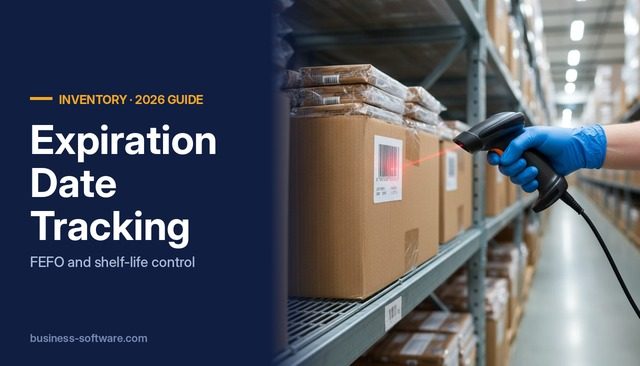
Last updated: October 8, 2026 · Independent guide · We do not sell rankings or coverage.
Expiration date tracking is the practice of recording an expiry or best-by date against every lot you hold, from the moment it is received, so that your system can allocate the shortest-dated stock first (FEFO, first expired, first out), warn you before stock ages out and stop expired product from shipping. For a US food, medical or chemical distributor, it works only if the date is captured accurately at the dock, stored at lot level and enforced by the ERP or WMS at allocation and pick.
The process has seven stages:
- Set shelf-life rules in the item master. Decide which date type each item carries and the minimum remaining shelf life you accept and ship.
- Capture the expiry date at receipt. Scan or key the date against the lot and check it against your acceptance rule.
- Put away and hold stock by lot. Keep lots with different dates identifiable in every bin.
- Allocate and pick by FEFO. Reserve the earliest-expiring lot that still meets the customer’s shelf-life requirement.
- Monitor near-expiry stock and raise alerts. Flag lots as they cross your alert and removal windows.
- Disposition aging stock. Mark down, transfer, return, donate or destroy, and adjust the inventory value.
- Measure and review. Track write-offs, short-dated receipts and FEFO overrides each month.
Who owns each stage
Expiry problems usually fall between departments: purchasing negotiates shelf life, receiving records it, the warehouse picks against it and sales promises it. Use the table as a starting point for ownership.
| Stage | Responsible | Accountable / consulted | Output |
|---|---|---|---|
| 1. Shelf-life rules | Inventory manager | Purchasing, quality, sales | Item master fields and customer shelf-life terms |
| 2. Capture at receipt | Receiving lead | Inventory manager; quality for rejections | Lot record with expiry date; accept, quarantine or reject decision |
| 3. Put-away by lot | Warehouse supervisor | Inventory manager | Lot-to-bin record, lot labels on pallets and cases |
| 4. FEFO allocation and pick | Warehouse supervisor | Customer service | Picked lots recorded on the shipment and invoice |
| 5. Near-expiry alerts | Inventory planner | Inventory manager; sales informed | Weekly aging list by lot and value |
| 6. Disposition | Inventory manager | Controller (write-downs), quality (destruction) | Markdown, transfer, vendor return or disposal record |
| 7. Review | Inventory manager | Operations director | Monthly metrics and rule changes |
Stage 1: Set shelf-life rules in the item master
Start by deciding what kind of date each item carries. For food, the USDA Food Safety and Inspection Service says that “except for infant formula, product dating is not required by Federal regulations,” and that sell-by and best-if-used-by dates are not safety dates (USDA FSIS, no date shown). Customer contracts are often stricter than the law, so record which date the manufacturer prints and which date your customers enforce.
Under the Drug Supply Chain Security Act, the product identifier on covered prescription drug packages includes “the standardized numerical identifier, lot number, and expiration date of the product” (21 U.S.C. 360eee(14), no date shown). For medical devices, the FDA defines the production identifier portion of a UDI to include the device’s expiration date when it appears on the label (21 CFR 801.3, eCFR up to date as of October 5, 2026). Chemical shelf life or retest dates usually come from the manufacturer’s certificate of analysis.
Outputs: for each item, an expiry-controlled flag, total shelf life in days, minimum remaining shelf life at receipt and at shipment by customer group, and alert and removal windows.
Controls: make expiry tracking mandatory for dated items and restrict who can change shelf-life fields. What goes wrong: items are set up without lot control, so there is nowhere to store a date, or one shelf-life rule is applied to every customer.
Stage 2: Capture the expiry date at receipt
If suppliers ship GS1-128 or GS1 DataMatrix labels, scan the date rather than typing it. GS1 Application Identifier (17) carries the expiration date and AI (15) the best-before date, both as six digits in YYMMDD form, and AI (10) carries the batch or lot number (GS1 Application Identifiers dataset, last modified January 26, 2026). The same GS1 dataset allows 00 in the day position for these dates, so your system needs a documented rule for converting a month-only date into a calendar date.
FDA requires medical device labels to show dates as year, month and day separated by hyphens, for example 2027-03-31 (21 CFR 801.18, eCFR up to date as of October 6, 2026). Food and chemical labels have no single format, so keyed dates such as 03/04/27 invite day-month swaps.
The system should then compare the date with your minimum remaining shelf life. In SAP, the minimum remaining shelf life is “the number of calendar days that a material must be usable for the system to accept the goods receipt,” and you configure whether a shortfall produces a warning or an error that blocks the receipt (SAP Learning, no date shown). If suppliers send lot and expiry data on an EDI 856 advance ship notice, compare it with what you scan.
Outputs: a lot record with expiry and receipt dates, and an accept, quarantine or reject decision. Controls: block receipt of a dated item without a date and route short-dated receipts to an approver. What goes wrong: receivers copy one date across several lots on a mixed pallet, or accept short-dated stock without telling purchasing, which loses the chance of a supplier credit.
Illustration: setting acceptance and alert windows
These figures are an illustration, not an industry standard. Suppose a canned item has a 360-day shelf life. You accept receipts with at least 240 days remaining, promise customers 120 days at delivery, alert at 150 days and remove the lot from normal pickable stock at 125 days. A lot received on October 8, 2026 with an expiry date of September 1, 2027 has 328 days remaining and passes the receipt check. A lot dated March 1, 2027 has 144 days remaining and should be rejected or accepted only with a supplier credit.
Stage 3: Put away and hold stock by lot
FEFO works only if the system knows which lot sits in which bin. Every pallet or case should carry a license plate or label that ties it to its lot and expiry date, and put-away should record the bin for each lot.
Controls: scan-confirmed put-away, and cycle counts that verify lot as well as quantity. What goes wrong: new stock is stacked in front of older stock in the same location, so the system says one lot and the shelf holds another. Unrecorded relabeling or repacking creates lots with no expiry date at all.
Stage 4: Allocate and pick by FEFO
FEFO allocation means reserving the earliest-expiring lot that still satisfies the order. If a customer requires 120 days of remaining life, the system must skip shorter-dated lots, or FEFO sends stock that will be refused. For pharmaceutical manufacturers, the FDA’s current good manufacturing practice rules require written distribution procedures under which “the oldest approved stock of a drug product is distributed first,” with deviation permitted “if such deviation is temporary and appropriate” (21 CFR 211.150, eCFR up to date as of October 2, 2026).
Outputs: lot reservations, a pick list naming lot and bin, and lot numbers on the shipment record. These records drive recalls, as our guide to lot and serial tracking in ERP explains. Controls: require a scan of the lot at pick, and log any override of the suggested lot with a reason code. What goes wrong: pickers take the nearest pallet instead of the suggested lot, a form of mis-pick with real costs. Lots reserved weeks ahead can also expire before shipping if nobody rechecks the reservation.
Stage 5: Monitor near-expiry stock and raise alerts
Set the alert window from the time it takes to move stock through a markdown, transfer or vendor return, not from a round number. Run an aging report by lot each week showing quantity, value, days to expiry and days of demand covered.
Outputs: a prioritized list of at-risk lots with an owner and due date. Controls: automatic status change when a lot passes the removal date, so it cannot be allocated to normal orders. What goes wrong: alerts go to a shared inbox that nobody reads, or the report lists every dated lot and buries the urgent ones.
Stage 6: Disposition aging stock
Options, roughly in order of value recovered, are selling to a customer with a shorter shelf-life requirement, transferring to a faster-selling branch, returning to the vendor under a stock rotation agreement, marking down, donating or destroying. Each needs a record tied to the lot.
Markdowns also affect tax valuation. Treasury regulations value goods “unsalable at normal prices” at “bona fide selling prices less direct cost of disposition,” based on an actual offering within 30 days after the inventory date (26 CFR 1.471-2(c), eCFR up to date as of October 6, 2026). Confirm with your tax adviser how this applies to near-expiry stock.
Controls: approval limits for write-offs, witnessed destruction for regulated product. What goes wrong: expired stock is written off in bulk at year end, so the cost is never traced back to buying, receiving or forecasting decisions.
Stage 7: Metrics to track
Review these measures monthly, by item category and by supplier where possible:
- Expired and written-off inventory value, in dollars and as a share of cost of goods sold.
- Short-dated receipts below your minimum remaining shelf life, by supplier.
- Near-expiry inventory value inside your alert window, and how much was cleared before expiry.
- FEFO override rate, the share of picks where staff took a different lot from the one suggested.
- Customer shelf-life refusals, lines rejected because remaining life was too short.
- Expiry data exceptions, lots with a missing or edited expiry date.
How software supports each stage
Most ERP and WMS products store an expiry date on a lot. They differ on whether the date is mandatory, whether receipt checks remaining shelf life, whether allocation respects customer minimums and whether expired lots are blocked from shipping. The table draws on each vendor’s documentation. A gap there does not prove a feature is missing, so confirm in a demo.
| Product | Expiry capture and receipt control | FEFO allocation | Customer minimum shelf life |
|---|---|---|---|
| Microsoft Dynamics 365 Business Central | Item tracking code options Use Expiration Dates and Require Expiration Date Entry | Pick According to FEFO on the location; Strict Expiration Posting excludes expired lots | Not described in the FEFO documentation reviewed |
| Oracle NetSuite | Expiry Date Required setting on lot-numbered items | FEFO Lot Assignments SuiteApp assigns lots to sales orders | Required shelf life at item or customer-item level |
| Odoo Inventory (18.0) | Expiration, best before, removal and alert times computed from receipt; editable on the receipt | FEFO removal strategy based on removal date | Not described in the documentation reviewed |
| SAP Cloud ERP | Shelf life expiration date required at goods receipt; minimum remaining shelf life check as warning or error | Not covered in the receipt lesson reviewed | Not covered in the receipt lesson reviewed; the PO-level minimum applies to supplier receipts |
In Business Central, Microsoft notes that in directed put-away and pick locations, only quantities in bins of type Pick are picked by FEFO (Microsoft Learn, May 2, 2025; Microsoft Learn, August 21, 2025).
NetSuite’s FEFO Lot Assignments SuiteApp assigns lots by FEFO for expiry-controlled items and FIFO otherwise. Its documentation says that if you fulfill less than the committed quantity, “you must also make allocation manually based on the expiry date” (Oracle NetSuite Help, no date shown).
Fishbowl’s food and beverage page describes expiration dates per batch and custom expiry alerts but does not mention FEFO picking (Fishbowl, no date shown). On Acumatica’s community forum, a request to stop expired lots from shipping was still an idea under feedback in a moderator reply (Acumatica Community, May 22, 2026). Test how expired lots behave at shipment in any system you shortlist.
How we researched this
We reviewed the vendor and 3PL pages that rank for expiration date tracking and FEFO, and found none covered receipt acceptance rules, customer minimum shelf life, label date formats or tax treatment of markdowns. We then read the current federal sources (eCFR, U.S. Code, USDA FSIS), the GS1 Application Identifier dataset, and the product documentation of Microsoft, Oracle NetSuite, Odoo, SAP and Fishbowl, checked on October 8, 2026. No vendor paid for inclusion or reviewed this article.
Related guides
- Lot Tracking Software: How It Works and How to Choose
- Serial Number Tracking: From Receipt to Service (2026)
- Inventory Aging Report: Template, Buckets and E&O Reserve
Frequently asked questions
What is the difference between FEFO and FIFO?
FIFO ships the stock you received first, while FEFO ships the stock that expires first. They differ when a newer receipt has an earlier expiry date, for example when a supplier ships an older production run after a newer one.
How do I handle a customer who requires a minimum remaining shelf life?
Record the requirement on the customer or customer-item record and make sure your allocation logic reads it. NetSuite’s FEFO Lot Assignments SuiteApp supports required shelf life at the item or customer-item level.
Are sell-by dates legally required on food in the US?
At the federal level, USDA FSIS says product dating is not required except for infant formula, and that sell-by dates are not safety dates. Your customers may set stricter rules by contract.
How should I value near-expiry stock that I am marking down?
For federal tax purposes, 26 CFR 1.471-2(c) allows subnormal goods to be valued at bona fide selling price less direct cost of disposition, where the goods are actually offered for sale within 30 days after the inventory date. Agree the book method with your controller and keep offer records for each lot.
Sources
Every rule and product capability in this article traces to one of these. Regulations were checked on October 8, 2026. Vendor documentation is published by companies that sell the products described.
- USDA Food Safety and Inspection Service, Food Product Dating, no date shown. fsis.usda.gov
- 21 U.S.C. 360eee, Definitions (product identifier), Legal Information Institute, no date shown. law.cornell.edu
- 21 CFR 211.150, Distribution procedures, eCFR, up to date as of October 2, 2026. ecfr.gov
- 21 CFR 801.3, Definitions (production identifier), eCFR, up to date as of October 5, 2026. ecfr.gov
- 21 CFR 801.18, Format of dates provided on a medical device label, eCFR, up to date as of October 6, 2026. ecfr.gov
- 26 CFR 1.471-2, Valuation of inventories, eCFR, up to date as of October 6, 2026. ecfr.gov
- GS1, Application Identifiers dataset (AIs 10, 15, 17), last modified January 26, 2026. ref.gs1.org
- SAP Learning, Using Date Checks in Goods Receipt Processing, no date shown (SAP sells the software). learning.sap.com
- Microsoft Learn, Enable Picking Items by FEFO, Business Central, May 2, 2025 (Microsoft sells the software). learn.microsoft.com
- Microsoft Learn, Set Up Item Tracking with Serial, Lot, and Package Numbers, Business Central, August 21, 2025. learn.microsoft.com
- Oracle NetSuite Help, FEFO Lot Assignments, no date shown (Oracle sells the software). docs.oracle.com
- Odoo 18.0 documentation, Expiration dates, no date shown (Odoo sells the software). odoo.com
- Odoo 18.0 documentation, FEFO removal, no date shown. odoo.com
- Fishbowl, Food and Beverage Inventory System, no date shown (Fishbowl sells the software). fishbowlinventory.com
- Acumatica Community, Can Acumatica regulate the expiry date in lot/serial tracked inventory shipment/transfers, moderator reply May 22, 2026. community.acumatica.com

Sherman Hsieh
Independent analysis of enterprise software — ERP, CRM and more