Mobile Business Apps
Tax Solutions
5 Financial Apps to Help Manage Your Taxes

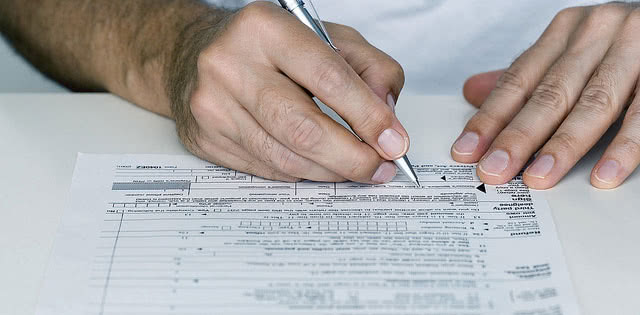
Managing your taxes no longer means a shoebox of receipts and a frantic April. The right apps keep your deductible expenses tracked all year, find write-offs you would have missed, file your return from your phone, and let you check your refund status straight from the source. The apps worth using have changed a lot since this list first ran, so here are five financial apps that earn a place on your phone to manage your taxes in 2026, and what each one is for.
Key takeaways
- The smartest tax move is tracking expenses all year, not scrambling in April; QuickBooks Solopreneur and Keeper do that automatically.
- Some old favorites are gone: Intuit shut down Mint in 2024 (users moved to Credit Karma) and retired the ItsDeductible donation tracker, so this list is built on tools that are current.
- For filing, TurboTax is the guided paid option and Cash App Taxes is a fully free federal and state option.
- IRS2Go is the official IRS app for refund status, payments, and free filing links, and it costs nothing.
- Whichever you use, protect the data: lock your device, avoid public Wi-Fi for tax work, and double-check anything a camera scanned.
The five apps at a glance
| App | Best for | What it does | Cost |
|---|---|---|---|
| QuickBooks Solopreneur | Self-employed expense tracking | Sorts deductible expenses, mileage, and quarterly taxes | Around $20/month |
| Keeper | Finding write-offs | AI scans accounts for deductions; expert help and filing | Around $20/month |
| TurboTax | Guided DIY filing | File from your phone with step-by-step help | Free for simple returns; paid tiers; state extra |
| Cash App Taxes | Free filing | Free federal and state returns (formerly Credit Karma Tax) | Free |
| IRS2Go | Official IRS tasks | Check refund status, make payments, find free filing | Free |
QuickBooks Solopreneur
The single biggest tax win is not a filing trick, it is tracking your deductible expenses all year instead of reconstructing them in April. QuickBooks Solopreneur (the rebuilt version of QuickBooks Self-Employed) is built for freelancers and one-person businesses to do exactly that: connect your bank and card accounts and it categorizes transactions into business and personal, separates out deductible expenses, tracks mileage automatically, and estimates your quarterly taxes so a big bill does not ambush you. When it is time to file, your numbers are already organized. It runs around $20 a month, so it is aimed at people with self-employment income rather than simple W-2 filers. If you used the old Mint for this, note that Intuit shut Mint down in 2024 and moved users to Credit Karma; QuickBooks Solopreneur is the tax-focused successor for the self-employed. Confirm current pricing on Intuit’s site.
Keeper
Where QuickBooks organizes what you tell it, Keeper goes hunting. It links to your accounts and uses AI to surface tax write-offs you might not realize you can claim, flagging deductible purchases as they happen across the year. It is designed for freelancers and people with 1099 income and side gigs, and it pairs the automated tracking with access to tax assistants for questions and the ability to file your return directly. At roughly $20 a month it overlaps with QuickBooks on expense tracking, so most people pick one; choose Keeper if finding every last deduction with minimal effort is the priority.
TurboTax
TurboTax remains the most polished way to file a return yourself from your phone. You snap a photo of your W-2, answer plain-language questions, and it walks you through the rest, e-filing securely at the end. Simple returns can often be filed free, while more complex situations (self-employment, investments, rental income) move you into paid tiers, and state filing is usually an added cost. If you want a human in the loop, TurboTax Live adds on-demand access to a tax expert who can review or even prepare your return. It is not the cheapest option, but it is the smoothest guided experience, and it is available in Spanish.
Cash App Taxes
If your return is straightforward and you would rather not pay to file, Cash App Taxes is the strongest free option. It is the former Credit Karma Tax service, now run by Cash App, and it files both federal and state returns at no cost, including many situations that push other services into paid tiers. The trade-off is that it is more self-directed than TurboTax, with less hand-holding and no paid expert support, and you file through the Cash App app. For a confident filer with a typical return, it can save the full cost of filing.
IRS2Go
The IRS is not most people’s idea of a helpful app maker, but IRS2Go is a useful and completely free tool. It is the agency’s official app, and it lets you check your refund status (with your Social Security number, filing status, and expected amount), make a payment, and find links to free filing options, including IRS Free File and the newer IRS Direct File program where you are eligible. You can track an e-filed return’s status within about 24 hours of filing. Because it comes straight from the source, it is also the safest place to check refund information rather than trusting a lookalike.
Keeping your tax data safe in apps
You are handing these apps some of your most sensitive information, so a few habits matter. Lock your phone with a passcode or biometrics, and never enter tax details or open financial apps on public Wi-Fi, where the connection can be intercepted. If you scan a W-2 or receipt with a camera, double-check the captured numbers, since automatic capture makes mistakes. Turn on the ability to remotely wipe a lost or stolen device, and keep a secure backup of important records. A minute of caution protects a year of financial data.
Frequently asked questions
What happened to Mint? Intuit shut down the Mint budgeting app in 2024 and moved users to Credit Karma. For tax-focused expense tracking, QuickBooks Solopreneur is the natural successor; for general budgeting, Credit Karma and apps like Rocket Money or Monarch are common replacements.
Is there a truly free way to file taxes? Yes. Cash App Taxes files federal and state returns free, TurboTax and others offer free tiers for simple returns, and the IRS offers Free File and, for eligible filers, Direct File, all reachable via IRS2Go.
Which app is best for a freelancer? QuickBooks Solopreneur or Keeper for tracking deductible expenses and quarterly taxes through the year, then TurboTax or Cash App Taxes to file.
How do I check my refund? Use IRS2Go or the IRS website with your Social Security number, filing status, and expected refund amount. Status appears within about 24 hours of e-filing.
The verdict
Good tax apps do their most valuable work long before the deadline. Track deductible expenses all year with QuickBooks Solopreneur or Keeper, file with TurboTax if you want guidance or Cash App Taxes if you want it free, and lean on the official IRS2Go for refund status and payments. The specific tools have turned over since this list first ran, but the principle has not: stay organized through the year, protect your data, and the filing itself becomes the easy part.
Choosing tax software for your business?
Compare the leading business tax platforms on features and pricing in our free report.

Sherman Hsieh
Independent analysis of enterprise software — ERP, CRM and more