eProcurement
ERP
Financial Management
Spend Management
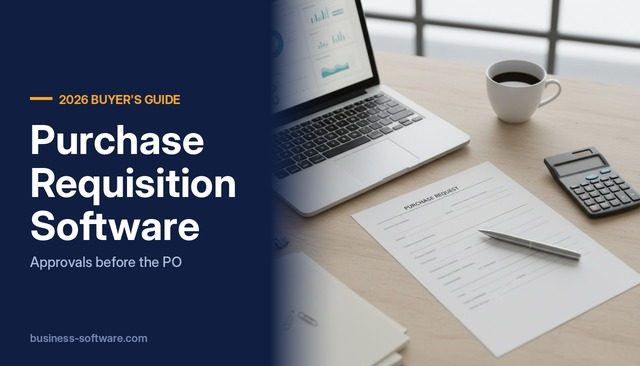
Purchase Requisition Software: Approval Workflows Before the PO

Last updated: October 8, 2026 · Independent buyer’s guide · We do not sell rankings or coverage.
Purchase requisition software captures an employee’s request to buy something, routes it to the right approvers based on amount, department or budget, and turns the approved request into a purchase order your buyer sends to the vendor. Most mid-sized US companies already own part of this inside their ERP, such as NetSuite requisitions, Business Central approval workflows or Acumatica requisition management. Dedicated procurement tools such as Precoro, ProcureDesk and Procurify add a friendlier request form, catalogs, punchout and live budget checks for occasional requesters. The right choice depends on how many people request purchases, how much spend runs outside catalogs and whether your ERP can check a budget before approval.
Key takeaways
- A requisition is an internal request; the purchase order is the external commitment. Your control point is the approval between the two, so test how each product routes, escalates and records that step.
- ERP approval rules usually work on amount limits per approver. Budget checks before approval are less common: Acumatica documents a budget verification on requests, while Microsoft’s Business Central purchase approval documentation describes amount limits only.
- NetSuite separates purchase requests (one vendor per request, one purchase order per request) from requisitions (vendor not required, buyer consolidates), and Oracle places its requisition approval workflow in the Advanced Procurement module.
- Precoro and ProcureDesk publish prices: Precoro starts at $499 per month billed annually, and ProcureDesk Startup costs $9,960 per year for 10 users. Procurify, Acumatica and NetSuite do not publish prices.
- Real-time budget tracking and punchout are often in a higher tier. Precoro lists both in its $999 per month Automation plan, not in Core.
- If fewer than about 20 people request purchases and most spend goes to a few known vendors, your ERP’s native PO approval is usually enough.
How the requisition-to-PO flow works
Every requisition system runs some version of this sequence. Products differ mostly in steps two through four.
- Request. An employee picks a catalog item, describes a service, uploads a vendor quote or pulls a cart from a supplier’s punchout site, and codes it to a department, GL account or project.
- Budget check. The system compares the request against the remaining budget for that account and period, then either warns, blocks or routes to an extra approver.
- Approval routing. Rules send the request to approvers based on amount, department, category, vendor or project. Higher amounts add levels.
- Sourcing and conversion. A buyer picks the vendor, consolidates lines going to the same supplier and converts the approved requisition into one or more purchase orders.
- Issue the PO. The PO goes to the vendor by email, portal or EDI. Large retail and industrial suppliers often receive POs as an EDI 850 transaction, so your PO data needs clean item and vendor references.
- Receive and match. Receipts and the vendor invoice are matched to the PO, and the invoice moves to payment.
As NetSuite’s documentation puts it, the requestor need not know the price or vendor; a buyer turns requisitions into purchase orders and can combine demand from several into one PO (Oracle NetSuite, Requisitions Overview, no date shown).
Where requisition approvals go wrong
- Approval after the fact. Employees buy on a card or call the vendor, then raise a requisition to get the invoice paid. The approval then records a decision that was already made.
- Limits that only look at the total. Splitting a $12,000 purchase into three $4,000 requisitions to stay under a $5,000 limit is the classic workaround. Ask each vendor how it detects split requests.
- No budget context for the approver. A manager approving a $6,000 software renewal needs to see that the department has $4,000 left this quarter. Amount-based routing alone does not tell them.
- Stuck approvals. Approvers on leave block the queue. Business Central handles this with a substitute approver and an approval administrator who can delegate or delete overdue requests (Microsoft Learn, June 17, 2026).
- Too many approval levels. If every $200 office purchase needs three signatures, requesters route around the system.
How software handles requisitions
You will meet three product types: ERP purchasing modules, standalone procurement tools that push approved POs into the ERP, and spend management platforms that add procurement to cards and bill pay.
Oracle NetSuite
NetSuite offers two request paths. Purchase requests require a vendor for each item, and one purchase request equals one purchase order. Requisitions can be entered with limited information, can span several vendors and can be consolidated by a buyer (Oracle NetSuite, no date shown). You enable the Requisitions feature under Setup > Company > Enable Features on the Transactions subtab (Oracle NetSuite, no date shown). Approvals route on employee purchase limits and purchase approvers. Oracle states this Requisition Approval Workflow is included in the Advanced Procurement SuiteApp, available in the Advanced Procurement module (Oracle NetSuite, no date shown), so confirm that module is in your quote. NetSuite does not publish prices. Our NetSuite review covers licensing.
Microsoft Dynamics 365 Business Central
Business Central has no separate requisition document for employees. The usual pattern is a purchase quote or purchase order that runs through an approval workflow built from the Purchase Order Approval Workflow template; the document sits at Pending Approval until the approver acts, then moves to Released (Microsoft Learn, March 17, 2026). Each approval user has a Purchase Amount Approval Limit or Unlimited Purchase Approval, and a separate Request Amount Approval Limit applies to purchase quotes when you use an approver chain (Microsoft Learn, June 17, 2026). An accepted quote becomes an order with the Make Order action (Microsoft Learn, April 1, 2026). The approval documentation describes amount limits, not budget checks. Pricing is published: Essentials $80, Premium $110 and Team Members $8 per user per month, paid yearly (Microsoft, checked October 8, 2026). Microsoft says Team Members can approve workflows, which helps if your approvers do little else in the system.
Acumatica
Acumatica’s requisition management is the most complete native option among these ERPs. Employees or customers raise requests, buyers group them into requisitions, send requests for proposal to vendors, record bids and create purchase orders from the winning response (Acumatica, September 4, 2026). The help for MYOB Acumatica, the Acumatica platform sold in Australia, documents that employee requests can require approval or budget verification against released GL budgets, with a Budget tab showing whether a request fits (MYOB Acumatica help, no date shown). Acumatica’s own blog confirms the feature in the core product since version 5.3: the system flags a request when any line exceeds the configured budget, the request class decides whether that raises an error or a warning, and approval maps can route on the flag (Acumatica blog, July 7, 2016, updated September 20, 2020). Acumatica does not publish a price list, so you will need a partner quote.
Odoo
In Odoo you can add approval steps to a button, such as Confirm on a purchase order, with Studio approval rules, including conditions, ordered steps and delegation (Odoo documentation 19.0, no date shown). Installing Studio moves you to the Custom plan at US$61.00 per user per month billed yearly, against US$31.10 for Standard, with lower discounted prices shown for the first 12 months (Odoo, checked October 8, 2026).
Precoro
Precoro’s Core plan starts at $499 per month billed annually and includes automated approvals, a service and item catalog and QuickBooks Online or Xero integration. The Automation plan, from $999 per month, adds real-time budget tracking, punchouts, RFPs, intelligent AP automation and SSO. ERP and custom integrations sit in the Enterprise plan, which is custom-priced. Precoro states onboarding typically takes 4 to 6 weeks (Precoro, no date shown, checked October 8, 2026).
ProcureDesk
ProcureDesk publishes the most detailed price list in this group. Startup costs $830 per month, billed annually at $9,960, with 10 users, approval workflows and budget tracking and alerts, and integrates with QuickBooks, Xero and Bill.com. Growth costs $1,250 per month ($15,000 per year) with 20 users and adds NetSuite, Sage Intacct and Business Central integration, SSO and multi-entity. Extra users cost $20 per month. Punchout appears only in the custom-priced Enterprise plan, as do approval auto-escalation and SAP S/4HANA integration (ProcureDesk, September 8, 2026).
Procurify and Ramp
Procurify’s base Purchasing package includes order requests, purchase orders, catalogs, approval routing, budgets, accounting integrations and punchout, with accounts payable and cards priced as add-ons. It does not publish prices; quotes are based on Pro users, while basic requesters are unlimited (Procurify, July 19, 2026). Ramp sells procurement as an add-on to its Plus plan ($15 per user per month plus a platform fee) or Enterprise, with intake, an approval workflow builder, PO creation and three-way match. Ramp does not list the add-on’s price (Ramp, checked October 8, 2026).
Comparison at a glance
| Product | Requisition approach | Budget check before approval | Published price (checked Oct 8, 2026) |
|---|---|---|---|
| NetSuite | Native requisitions and purchase requests; approval workflow in Advanced Procurement | Not described in the approval routing documentation we reviewed | Not published |
| Business Central | Purchase quote or PO with approval workflow and amount limits | Not described in Microsoft’s approval documentation | $80 Essentials, $8 Team Members per user/month, yearly |
| Acumatica | Requests, requisitions, vendor bidding, convert to PO | Yes, budget verification on requests | Not published |
| Precoro | Standalone requests, catalogs, approvals, POs | Real-time budgets in Automation plan | From $499/month (Core), $999/month (Automation), annual |
| ProcureDesk | Standalone requests, POs, receiving, three-way match | Budget tracking and alerts in all plans | $9,960/year (10 users), $15,000/year (20 users) |
| Procurify | Standalone requests, catalogs, punchout, POs | Budgets in base package | Not published |
What it costs
ERPs charge per named user, so the question is which license your requesters and approvers need. Standalone tools charge a platform fee that covers a set number of users; Procurify says basic requesters are unlimited, and ProcureDesk’s Enterprise plan lists unlimited requisitioners.
Watch tier boundaries more than headline prices. Budget checks, punchout and ERP integration are the features most often held back: at Precoro, budgets and punchout start in Automation and ERP integration in Enterprise; at ProcureDesk, NetSuite and Sage Intacct integration start at Growth and punchout at Enterprise. None of the standalone vendors above publishes implementation fees.
Worked example: one requisition, three cost paths
The company and figures below are an illustration, not a real customer. Vendor prices are the published list prices cited above.
A 300-person US services company runs Business Central. About 45 managers and staff request purchases, and 8 people approve them. Its approval matrix is simple: department managers approve up to $5,000, the controller up to $25,000 and the CFO above that. Every software and services request over $2,500 also goes to IT.
An office manager raises a $7,400 requisition for conference room equipment. It exceeds the $5,000 manager limit, so it routes to the department manager and then the controller. The account has $5,100 left this quarter. In Business Central’s standard workflow, the controller sees no budget shortfall unless someone checks a report. In a tool with live budget checks, the approver sees the overrun on the request and can reject it, cut the quantity or defer it.
| Option (illustration) | Calculation | Annual list cost |
|---|---|---|
| Precoro Automation | $999 x 12, if the tier’s user count covers 53 people | $11,988 |
| ProcureDesk Growth | $15,000 for 20 users plus 33 extra users x $20 x 12 | $22,920 |
| Business Central native | No added license if requesters and approvers already hold suitable licenses | $0 added; no budget check in the standard approval workflow |
Precoro lists user limits as tier-based without numbers, so confirm the count. The decision is whether $12,000 to $23,000 a year buys enough budget control and ease of use for 45 occasional requesters.
Our independent take
Start with the ERP you own. NetSuite, Business Central and Acumatica all route purchase approvals on amount limits, which is enough control when a few buyers raise most POs. Add a dedicated tool when occasional requesters multiply, when approvers need to see remaining budget as they approve, or when catalogs and punchout would cut off-contract spend.
Acumatica stands out among the ERPs because its documentation covers budget verification and vendor bidding on requisitions natively. ProcureDesk and Precoro deserve credit for publishing prices, but check which tier holds the features you need. We do not pick an overall winner.
Three buyer scenarios
A 150-person distributor on NetSuite. Buyers create most POs from reorder points, and about 15 people raise ad hoc requests. Turn on requisitions and approval routing, confirm Advanced Procurement licensing and set purchase limits per employee. A separate tool would add little.
A 400-person software company on Sage Intacct or NetSuite with heavy SaaS and services spend. Requests come from every department, often with only a vendor quote attached. A standalone tool with budget checks and ERP integration, such as ProcureDesk Growth or Precoro Enterprise, fits better than training 80 people on ERP screens. Budget for the integration tier, not the entry plan.
A multi-site manufacturer on Acumatica buying MRO supplies. Requests are frequent and suited to bidding among a few suppliers. Acumatica’s requests, requisitions and bidding screens cover the flow natively, with budget verification on employee requests.
When you do not need dedicated software
You probably do not need a separate requisition tool if fewer than about 20 people request purchases, most spend goes to a short list of known vendors and your controller already reviews budget variance monthly. In that case, set up approval limits on purchase orders in your ERP, require a PO number on every vendor invoice and review POs created after the invoice date each month. The same applies if most spend runs through corporate cards with per-card limits. If you are still choosing a core system, compare purchasing approval depth during your midsize ERP shortlist rather than adding a tool later. Once invoices are flowing, AP automation software handles the match and payment side.
How we researched this
We read the top-ranking pages for “purchase requisition software,” mostly vendor pages and vendor blogs, and noted what they leave out: named competitors, published prices and ERP modules compared with standalone tools. We then reviewed vendor documentation for NetSuite, Business Central, Acumatica and Odoo, and the pricing pages of Precoro, ProcureDesk, Procurify, Ramp, Microsoft and Odoo, checked on October 8, 2026. Where a vendor does not publish a price or does not document a capability, we say so. No vendor paid for inclusion.
Related guides
- Procure-to-Pay Process: Steps, Controls and Software
- Accounts Payable Aging Report: Template and How to Use It
- Construction Accounts Payable: Pay Apps, Retainage, Holds
Frequently asked questions
What is the difference between a purchase requisition and a purchase order?
A purchase requisition is an internal request asking permission to spend, and it is not sent to a vendor. A purchase order is the external document that commits your company to buy at stated terms.
Does NetSuite have purchase requisitions?
Yes. NetSuite has a Requisitions feature, enabled under Setup > Company > Enable Features, plus a separate purchase request transaction for cases where the vendor is known. Oracle states its Requisition Approval Workflow is included in the Advanced Procurement SuiteApp, available in the Advanced Procurement module, so check your license.
Can Business Central do purchase requisition approvals?
Business Central approves purchase quotes and purchase orders through approval workflows with amount limits per approver, a substitute approver and an approval administrator. It has no separate employee requisition document, and Microsoft’s approval documentation does not describe a budget check.
How much does purchase requisition software cost?
Published list prices start at $499 per month billed annually for Precoro Core and $9,960 per year for ProcureDesk Startup with 10 users, checked October 8, 2026. Procurify, NetSuite and Acumatica do not publish prices. Budget tracking, punchout and ERP integration often sit in higher tiers.
How should we set approval thresholds for requisitions?
Most companies use two to four amount levels tied to the role’s authority, such as department manager, controller and CFO, plus category rules for IT, legal or capital purchases. Keep low-value catalog purchases to one approval so requesters do not bypass the system.
Sources
- Oracle NetSuite, Requisitions Overview, no date shown, checked October 8, 2026. docs.oracle.com
- Oracle NetSuite, Enabling the Requisitions Feature, no date shown, checked October 8, 2026. docs.oracle.com
- Oracle NetSuite, Requisition Approval Workflow, no date shown, checked October 8, 2026. docs.oracle.com
- Microsoft Learn, Walkthrough: Setting Up and Using a Purchase Approval Workflow, March 17, 2026. learn.microsoft.com
- Microsoft Learn, Set up approval users, June 17, 2026. learn.microsoft.com
- Microsoft Learn, Request quotes from vendors, April 1, 2026. learn.microsoft.com
- Microsoft, Dynamics 365 Business Central pricing (US), no date shown, checked October 8, 2026. microsoft.com
- Acumatica, Purchase requisition software, September 4, 2026 (vendor page). acumatica.com
- MYOB Acumatica help, Purchase Requests and Requisitions: General Information, no date shown, checked October 8, 2026. help.myob.com.au
- Acumatica blog, Approving of Requisition Requests depend on budget validation, July 7, 2016, updated September 20, 2020. asiablog.acumatica.com
- Odoo, Studio approval rules documentation, version 19.0, no date shown, checked October 8, 2026. odoo.com
- Odoo, Pricing (US), no date shown, checked October 8, 2026. odoo.com
- Precoro, Pricing, no date shown, checked October 8, 2026 (vendor page). precoro.com
- ProcureDesk, Pricing, September 8, 2026 (vendor page). procuredesk.com
- Procurify, Pricing, July 19, 2026 (vendor page). procurify.com
- Ramp, Pricing, no date shown, checked October 8, 2026 (vendor page). ramp.com

Sherman Hsieh
Independent analysis of enterprise software — ERP, CRM and more