Accounting
The Best Free Small Business Accounting Software


Last updated: 22 July 2026 · Independent guidance, not sponsored by any vendor.
The honest answer, up front: for most small businesses the best genuinely-free accounting software is Wave. It gives you real double-entry accounting, invoicing and reporting at no cost. Zoho Books has a strong free tier for very small businesses, especially under a revenue threshold, and GnuCash or Akaunting suit the technically comfortable. But “free” comes with real limits on users, features, support and scale, and most growing businesses eventually outgrow it. This guide covers what’s truly free, where each option fits, the catches to watch, and when paying actually saves you money.
Key takeaways
- Wave is the best all-round free option for most US small businesses: genuinely free core accounting and invoicing, with paid add-ons only for payroll and payments.
- Zoho Books free plan is excellent for very small businesses and a natural upgrade path as you grow.
- “Free” has flavors: truly free (Wave), free tier of a paid product (Zoho Books), open-source (GnuCash, Akaunting), and free trials (QuickBooks, Xero, which are not actually free).
- The real costs of free are usually limited support, user caps, missing features, and paid payroll and payments. Budget for those before you commit.
- Free is right for freelancers, side businesses and early-stage companies. Once you need inventory, multiple users, or serious reporting, a low-cost paid plan is usually cheaper than the workarounds.
On this page: What “free” really means · The best free options · Comparison · By business type · The catch with free · When to pay · How to choose · FAQ · The verdict
What “free” accounting software really means
Before comparing tools, it pays to know what “free” actually is, because vendors use the word loosely. There are four kinds:
- Genuinely free: the core product costs nothing, indefinitely, with money made on optional add-ons. Wave is the classic example.
- Free tier of a paid product: a capped-but-real free plan designed to grow you into paid tiers. Zoho Books is the standout.
- Open-source: free to download and run, with no licence fee, but you provide the setup and maintenance. GnuCash and Akaunting fit here.
- Free trial: not free at all, just a 30-day window. QuickBooks and Xero market heavily here; useful to test, but budget to pay.
Knowing which kind you’re signing up for prevents the most common surprise: building your books on a “free” tool that quietly becomes a bill.
The best free accounting software, and who each is for
Wave: best all-round free option. Wave offers genuinely free, unlimited income-and-expense tracking, double-entry accounting, invoicing and basic reporting, with no artificial transaction caps. It makes money on payroll and payment processing, which are optional. For freelancers, sole traders and small service businesses in the US, it is hard to beat.
Zoho Books: best free tier for very small businesses. Zoho Books’ free plan is a full, modern accounting product (invoicing, expenses, reconciliation, reporting) for businesses under a set annual revenue, with limits on users. Its biggest advantage is the upgrade path and the wider Zoho ecosystem, so you won’t have to migrate when you grow.
GnuCash: best free, private, offline option. A mature open-source desktop application with proper double-entry accounting. No subscription, no cloud, no data-sharing, but a dated interface and a learning curve. Ideal for the technically comfortable who value control and privacy.
Akaunting: best open-source cloud option. Open-source accounting you can self-host or run in the cloud, with a modular add-on marketplace. Free at the core; some modules and hosting cost money. Good for those who want cloud convenience with open-source control.
Manager.io: capable free desktop option. A full-featured free desktop accounting app (paid cloud version available), popular with small businesses that want depth without a subscription.
Free accounting software compared
Editor’s note. Free-plan limits and revenue thresholds change often. Confirm the current free-tier terms and any user or revenue caps directly with each vendor before committing your books.
| Tool | Type of free | Best for | Main limits |
|---|---|---|---|
| Wave | Genuinely free | Freelancers and small service businesses | Paid payroll and payments; lighter inventory |
| Zoho Books (Free) | Free tier | Very small businesses wanting room to grow | Revenue and user caps; upgrade to scale |
| GnuCash | Open-source (desktop) | Privacy-focused, technically comfortable | Dated UI; no cloud; you maintain it |
| Akaunting | Open-source (cloud/self-host) | Those wanting open-source in the cloud | Paid modules; hosting effort |
| Manager.io | Free desktop | Depth without a subscription | Cloud version is paid |
Which free option fits your business
Freelancers and side businesses: Wave. Free invoicing and accounting that covers everything you need without a bill.
Very small but growing companies: Zoho Books free tier. It is capable now, with a clean upgrade path so you never have to migrate.
Privacy- or control-focused users: GnuCash (offline) or Akaunting (open-source cloud).
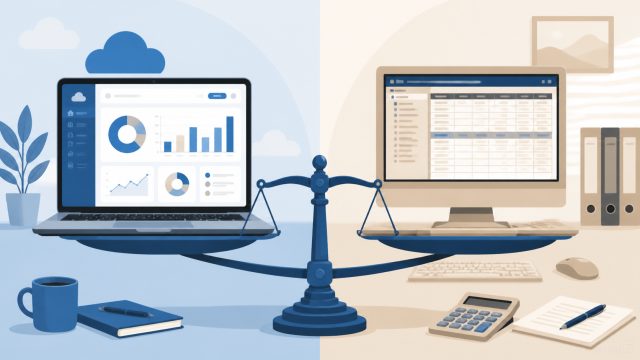
Businesses with inventory or multiple users: be honest with yourself. You are likely at the edge of what free comfortably handles, and a low-cost paid plan (Xero, QuickBooks, Zoho Books paid) will usually cost less than the workarounds.
The catch with free (read this before you commit)
Free accounting software is genuinely useful, but the limits are real and they tend to bite exactly as your business gets busier:
- Support is limited. Free plans usually mean self-service help, not a phone line, which hurts at tax time or when something breaks.
- Users are capped. Add a bookkeeper or business partner and you often hit a wall that forces an upgrade.
- Features are lighter. Inventory, advanced reporting, project accounting and automation are usually thin or absent on free tiers.
- Payroll and payments cost extra. The “free” tool is free; running payroll or taking card payments through it generally is not.
- Scaling means migrating. Outgrow a free tool with no upgrade path and you face a data migration. That is why a free tier (Zoho) can beat a truly-free-but-standalone tool for a growing business.
When free is enough, and when to pay
Stay free while your needs are simple: straightforward invoicing and expenses, one or two people, no inventory, and books a self-service tool can handle. That describes a huge number of freelancers and early-stage businesses, and paying would be waste.
Move to a paid plan when the workarounds start costing more than the software would. The usual triggers are needing inventory, multiple users, integrated payroll, deeper reporting, or simply wanting real support. A good rule: when you find yourself spending hours each month working around a free tool’s limits, the time you’re losing is already worth more than a US$15–30/month paid plan.
How to choose
- Match the type of free to your plan. If you’ll grow, prefer a free tier with an upgrade path (Zoho Books) over a standalone tool you’ll have to leave.
- Check the real limits first: users, revenue caps, and what payroll and payments cost, not just the headline “free.”
- Confirm it does double-entry accounting if you want books an accountant can actually use (Wave, Zoho, GnuCash all do).
- Test with your real data for a month before you commit your bookkeeping to it.
- Plan your exit. Know how you’d export your data if you outgrow the tool, before you need to.
Frequently asked questions
What is the best free accounting software for small business? For most US small businesses, Wave: genuinely free core accounting and invoicing with no transaction caps. Zoho Books’ free tier is the best choice if you expect to grow and want a smooth upgrade path.
Is there a truly free accounting software, or is it all trials? Yes. Wave is genuinely free, and GnuCash, Akaunting and Manager.io are free (open-source or free desktop). Zoho Books has a real free tier. QuickBooks and Xero are not free; they offer trials only.
Is free accounting software safe and accurate? The reputable options do proper double-entry accounting and are used by millions of businesses. The trade-offs are support, features and scale, not accuracy. Cloud tools like Wave and Zoho follow standard bank-grade security practices; verify each vendor’s specifics.
Can free accounting software handle payroll? Usually not for free. Wave and others offer payroll as a paid add-on. If integrated payroll matters, factor that cost in. The accounting may be free but payroll rarely is.
When should I stop using free accounting software? When the workarounds cost you more than a paid plan would: typically when you need inventory, multiple users, integrated payroll, deeper reporting, or real support. At that point a US$15–30/month plan usually pays for itself.
The verdict
Free accounting software is a genuinely good starting point, and for a large share of freelancers and early-stage businesses it is all you will need for a long time. Start with Wave if you want the simplest genuinely-free option, or Zoho Books’ free tier if you want room to grow without migrating later. Choose GnuCash or Akaunting if privacy and open-source control matter more than polish. Go in with eyes open about the limits, including support, users, features, and paid payroll and payments, and move to a low-cost paid plan the moment the workarounds start costing you more than the software would.

Sherman Hsieh
Independent analysis of enterprise software — ERP, CRM and more