Browse Business Software Categories
CUSTOMER SERVICE
IT SERVICE MANAGEMENT
Vivantio Review
Product Snapshot
Product Pricing
Contact vendor directly for pricing information.
Technology
Product is a SaaS solution and requires no additional hardware for installation.
Customer Focus
Vendor works with businesses of all sizes and across multiple industries.
Select Customers
Tesco Mobile, RAC, NHS, Toshiba, Yodel
About Vivantio
 Vivantio is service management software that supports incident management, full-enterprise ITSM processes, and provides users with the core ITIL principals. The platform facilitates customer self-help activities, facilitates customer engagement, and enables users to create separate, branded customer portals.
The software supports customer service through inbound and outbound email and SMS, and is built with an intuitive business rules engine designed to capture data as well as track milestone dates and trigger relevant actions. Additionally, the platform enables users to contact customers, set internal reminders and utilized prioritized and automated workflows.
About the Company
Vivantio was founded in 2003 and is headquartered in the United Kingdom.
Vivantio Key Features
- Create self service areas to lessen support agent workloads
- Auto sort and escalate tickets
- Increase incidents resolution rates among first contact tickets
- Smart database call functions save agents time when searching for specific info
- Integration with CRM platforms gives all departments a full picture of customer interaction and activity
- Uncover new leads and business opportunities by staying organized
- Problem solve on a systemic level by identifying training needs and recurring issues
- View contract, technical and other customer documents
- The hyper versatile Asset Manager interfaces with a multitude of asset types like contracts, lease agreements, equipment, software, customer purchases, etc.
- For ITIL implementations the CMDB subsumes all configuration objects including business services (Business Service Management)
- Audit trail tracking and baselining
- Draw data from multiple external CMDBs and systems like network management tools
- Monitor and enforce policies and procedures
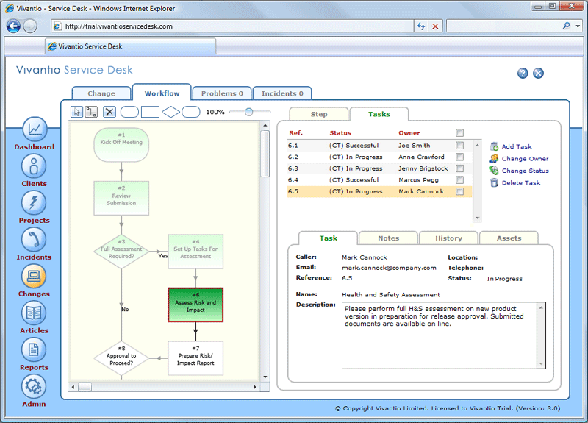
- Advanced workflow capabilities
- Auto-assign tasks to both internal and external parties
- Measure progress
- Auto-escalation avoids SLA breaches
- Easily measure SLAs against incidents, changes, etc.
- Real-time analysis of SLA targets
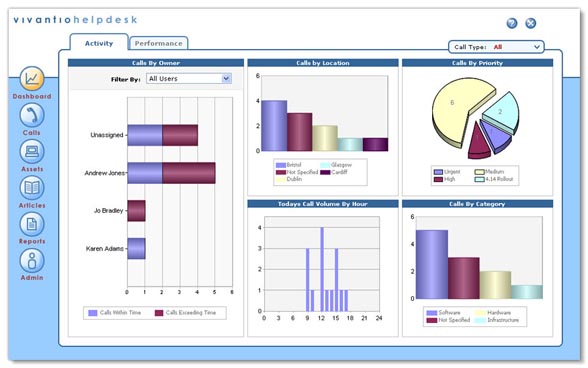
- Accurate performance reporting
- Identify important and unimportant trends
- Balance and assign heavy workloads
- Easily shift and allocate resources based on company priorities
- Identify and prepare for busy periods
- Ability to focus on recent SLA performance
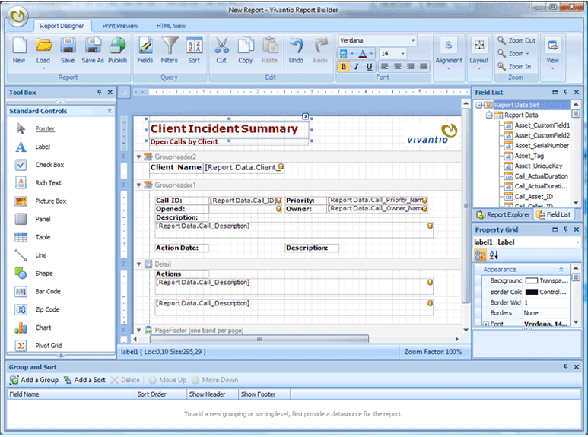
- Build interactive reports that dynamically request users for selection criteria input
- Extrapolate management info from large amounts of data
- Easy export functions: Excel, PDF, image formatting
- Integration for most email, CRM, accounting, ERP systems and more
- Active Directory Connector keeps client, caller and user information synced with any LDAP compliant system (eDirectory, Active Directory, etc.)
- Windows Mobile compatible
- ITIL compatible
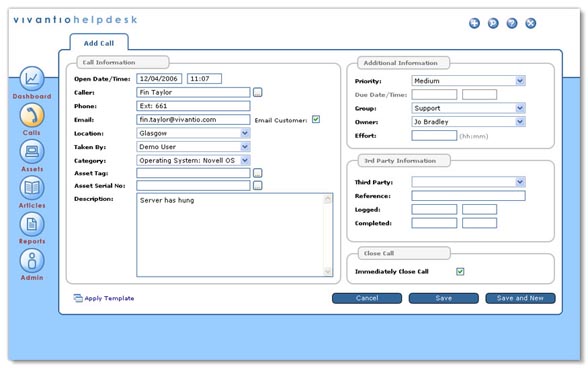
Vivantio Screenshots
Products Similar to Vivantio