CRM Software
Research and reviews for enterprise CRM software and CRM companies
-
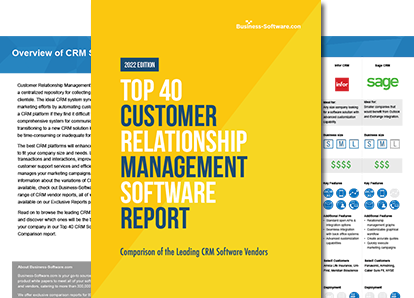
Looking for reviews of leading CRM software?
Compare top solutions here.
Download Now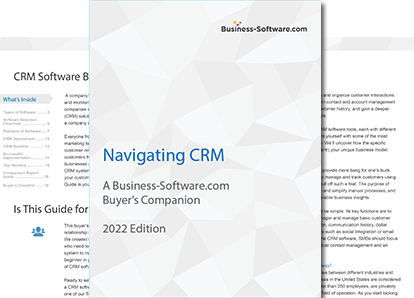
Start your software search with Navigating CRM: A Buyer's Guide
Download your free guide now!
Download Navigating CRM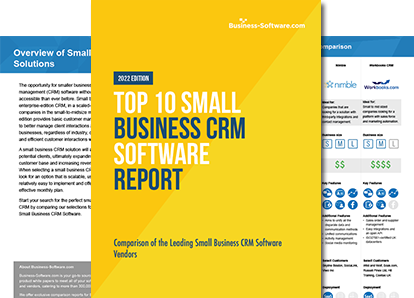
Review top CRM solutions for small businesses.
Find the best fit for your needs.
Download Report NowAbout CRM Software
Customer relationship management, or CRM, software helps businesses better organize, interact with and respond to their clients. A CRM solution simplifies customer communications by streamlining engagement efforts, coordinating outreach to existing and potential clients and building optimized campaign strategies. Browse the best customer relationship management products with Business-Software.com’s free Top 40 CRM Software report on top-rated CRM software solutions specific to business size, delivery model and platform accessibility. Businesses managing a sizeable customer base will benefit from implementing customer relationship management software to help streamline and organize interaction processes, with market-specific products available for small business CRM needs and enterprise-scale customer relationship management alike. Among the top-rated CRM software products are:- Salesforce.com CRM
- Microsoft Dynamics CRM
- SugarCRM
- Zoho CRM
Articles
-
Industry-Specific CRM
Industry-Specific CRM Articles
5 of the Best CRM for Insurance Companies
By
The best CRM for insurance companies is easy to use and adopt. We uncover 5 of the top solutions your insurance agents will love using.

Traditional CRM vs. Donor Management Software: Why the Differences Matter
By
Upon first glance, traditional customer relationship management (CRM) software and nonprofit donor management software seem to be synonymous. While traditional CRM solutions might sustain operations for a short time, it’s not a long-term solution. Donor management software offers nonprofit-specific tools that specifically cater to a NPO’s unique needs.

The 5 Top Automotive CRM Software in 2014
By
While car dealerships can get by with tweaking a CRM solution to fit their needs, many businesses opt for an automotive-specific CRM solution. Here are the top automotive CRM solutions your business should consider.
4 Real Estate-Specific CRM Solutions Your Agents Will Adore
By
Buying real estate-specific CRM software for your business can improve communication between agents and buyers, reduce redundant processes and help your agency close more deals.
-
Small Business CRM Tools
Small Business CRM Tools Articles
How to Use Microsoft Excel for CRM
By
Learn the basics, and you'll be ready to use Excel for CRM. Here we will look at how you can turn Excel into a powerful CRM system with minimal effort and maximum efficiency.

From the Community: Alternatives to Salesforce.com CRM for Small-to-Mid-Size Companies
By
With Dreamforce coming up in a few weeks we figured it was as good a time as any to address question of finding serviceable alternatives to Salesforce.com CRM! In his question Kevin M. asks: "What are some good alternatives to Salesforce.com for a 5-to-12-employee company?" Since its inception Salesforce has grown to become one of the titans of CRM software and a torchbearer for the cloud. In recent years the company has expanded away from its initial focus on CRM as well.

Batchbook: Helping Small Businesses Grow with Social CRM
By
BatchBlue's Batchbook is a small business CRM solution designed for smaller-scale companies. A co-founder of the Small Business Web, a non-profit for open API start-ups, CEO Pamela O'Hara believes all software should be open and integrated, so that small businesses can have access to the same functionality as large enterprises.
Zoho vs Nimble: Two SMB-Friendly CRM Providers Duke It Out
By
Any small business searching for software to manage their contacts, lead cycle and other key sales tasks will undoubtedly come across the names of leading vendors almost as soon as the hunt begins. And while each of these software providers offers a great CRM platform, not all are well suited for the average SMB. We’ve selected two of our top picks for small business CRM platforms to battle it out below: Zoho vs Nimble.
-
Top CRM Software Vendors
Top CRM Software Vendors Articles
From the Community: Alternatives to Salesforce.com CRM for Small-to-Mid-Size Companies
By
With Dreamforce coming up in a few weeks we figured it was as good a time as any to address question of finding serviceable alternatives to Salesforce.com CRM! In his question Kevin M. asks: "What are some good alternatives to Salesforce.com for a 5-to-12-employee company?" Since its inception Salesforce has grown to become one of the titans of CRM software and a torchbearer for the cloud. In recent years the company has expanded away from its initial focus on CRM as well.
Salesforce vs SAP: A Clash of Two Enterprise CRM Titans
By
Two CRM vendors that excel at enterprise-scale tools for large sales teams and departments are Salesforce and SAP. But in a head-to-head battle, who will come out on top? Let’s take a look at what each platform offers in five major categories of functionality in this showdown of enterprise CRM software: Salesforce vs SAP.
Zoho vs Nimble: Two SMB-Friendly CRM Providers Duke It Out
By
Any small business searching for software to manage their contacts, lead cycle and other key sales tasks will undoubtedly come across the names of leading vendors almost as soon as the hunt begins. And while each of these software providers offers a great CRM platform, not all are well suited for the average SMB. We’ve selected two of our top picks for small business CRM platforms to battle it out below: Zoho vs Nimble.

David or Goliath: A 2014 Overview of the Top CRM Vendors
By
Comparing top CRM software vendors is a bit like matching David against Goliath, or huge vendors like Salesforce against emerging solutions like UserVoice. Here’s a comprehensive look at the Davids and Goliaths from the top CRM vendors.
-
Trends in CRM Software
Trends in CRM Software Articles

7 Essential Features of Mobile CRM Software
By
Desktop CRM software helps maintain a smooth relationship between a business and its customers, but without mobile accessibility, it limits customer interactions to the desktop and restricts employee usage. With this dilemma in mind, let’s discuss the most essential aspects of mobile CRM software to ensure you avoid missing crucial features.

The 7 Features of Enterprise CRM that Your Business Needs
By
What specific functions should larger businesses and corporate departments consider when evaluating the CRM marketplace? Let’s take a look at the 7 features of enterprise CRM that will prove most valuable to companies juggling a large number of customers and prospects.

SFA vs CRM Software: How Do the Two Platforms Match Up?
By
The time has come to make a decision: sales force automation (SFA) or customer relationship management (CRM). See how the two match up in this head-to-head of SFA vs CRM.

3 Outdated CRM Features That Will Die Out Soon
By
CRM evolves continues to evolve, and as with any form of evolution, there are things we don't need - aspects ofCRM systems that have simply fallen by the wayside. Let's look at three outdated CRM features that are on their way out - simply because we just don't need them any more - and what the reason is for their demise.
- View All Blog Posts
Popular CRM Solutions
Salesforce Sales Cloud
Salesforce’s Sales Cloud is the world’s number one sales application. This solution stores and manages the vital information sales teams need to better connect with customers.

NetSuite CRM+
NetSuite CRM+ provides robust customer relationship management (CRM) abilities, which includes marketing automation, sales force automation (SFA), customer service and support, as well as flexible customization—all wrapped up in their cloud CRM solution. Unlike CRM solutions typically on the market, NetSuite CRM+ also includes sales performance management, partner management, order management, and marketing effectiveness capabilities within their solution as standard features.
Sage CRM
Sage CRM is the leading supplier of business management solutions to small and medium businesses. Sage CRM software helps manage critical sales, marketing and customer service activities every day. Sage CRM has a solution that can meet the individual needs of your business and accelerate your business growth.
C2CRM
C2CRM is a customizable yet powerful CRM solution that is built without the cost and complexity of a “high-end” product. C2CRM delivers real-time information about leads, prospects and customers, streamlining the sales, marketing and customer service processes.

Gold-Vision CRM
Gold-Vision is a CRM software solution that helps users consolidate all customer, prospect and lead data into a centralized database. The solution is fully exchange/outlook and gmail compatible, enabling all emails to and from customers and prospects to be tracked and recorded. As users interact with customers and leads, the system can log email details, set up events on calendars and maintain note diaries.

Zoho CRM
Zoho CRM is CRM software that enables users to identify the best times to reach out to customers, engage across multiple channels, and provides actionable insights across the entire industry. The platform allows users to interact with customers via phone, live chat, email, social media and in-person, as well as tracks all conversation histories in a centralized place.