ERP Software
Research and reviews for enterprise resource planning systems (ERP software).
-
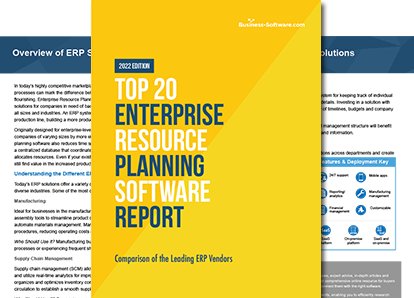
Want to compare top-rated ERP software?
Find the perfect solution here.
Download Free Report
Navigating ERP: A Buyer's Guide for Wholesale and Distribution
Start your software search here.
Download Free ReportAbout ERP Software
Enterprise Resource Planning (ERP) software unifies most if not all of a company’s operations under the umbrella of a single software system. This all-inclusive approach can include many modular functions that also exist as standalone solutions like manufacturing, supply chain management and financial management. Browse the best ERP software with Business-Software.com’s free comparison report of the Top 20 ERP Software solutions. Traditional ERP solutions are ideal for larger enterprises who have a need for software uniformity across multiple office sites. Among the top-rated ERP systems are:- Oracle JD Edwards EnterpriseOne
- SAP ERP
- Aptean ERP
- Netsuite ERP
Articles
-
ERP Software Reviews
ERP Software Reviews Articles
Oracle NetSuite vs Sage Intacct: Why NetSuite Is Better for Your Business
By
If your accounting processes are more complex than what a solution like QuickBooks or Xero can handle, you might consider a cloud-based ERP solution to manage your finances. With a cloud-based solution, you can access your data anytime, anywhere, in a secure, encrypted environment. Both NetSuite and Sage Intacct offer robust ... (more)

The Best ERP Systems for Your Business Needs
By
Much like shopping for a car, selecting an ERP system will depend on your needs and the factors of greatest importance to your business. Below, we've compiled a list of the best ERP systems to get you started.

From the Community: Where to Find an SAP ERP Look-Alike
By
This week’s question comes from Guy R who asks “I’m looking for alternatives to NetSuite and SAP that provide an integrated package including billing and stock control.” In order to answer this question appropriately, let’s delve into the features that makes NetSuite and SAP a dominating ERP suite in the market, then find solutions that most closely match the criteria.

From the Community: Are There Worthy Open Source ERP Options?
By
Today’s question is about the software beast, Enterprise Resource Planning (ERP). In his question Tony S asks: “Are there any worthy open source ERP options?” As Tony alludes to in his question, there are many open source ERPs floating in the websphere today. But which open source ERP software solutions will work “out of the box” and serve as a fantastic asset to an SMB or startup?
-
Industry-Specific ERP
Industry-Specific ERP Articles

The 4 PLM Software Key Features Your Company Needs
By
While you should consider the unique technical and management-related tools necessary for managing your company’s product development, you should look for a solution that contains these important PLM software key features.
The 6 Key Features of Distribution Software
By
A distribution system without the following core components will be far less effective at addressing the unique challenges your company faces. Let’s take a closer look at those six key features of distribution software.
The Best ERP Systems for Your Business Needs
By
Much like shopping for a car, selecting an ERP system will depend on your needs and the factors of greatest importance to your business. Below, we've compiled a list of the best ERP systems to get you started.
From the Community: Best Warehouse Management System?
By
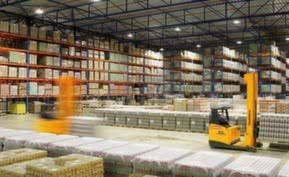
This week’s community question comes from Varun K., who asks, “What is the best warehouse management system for a retailer with both online and brick-and-mortar capabilities?” A top WMS with robust ecommerce capabilities can handle the needs of a warehouse with both a physical and online presence. We’ve chosen 3 WMS solutions that could simplify operations for Varun’s warehouse.
-
Selecting & Implementing ERP
Selecting & Implementing ERP Articles
Oracle NetSuite vs Sage Intacct: Why NetSuite Is Better for Your Business
By
If your accounting processes are more complex than what a solution like QuickBooks or Xero can handle, you might consider a cloud-based ERP solution to manage your finances. With a cloud-based solution, you can access your data anytime, anywhere, in a secure, encrypted environment. Both NetSuite and Sage Intacct offer robust ... (more)

From the Community: Is the ROI from ERP Software Worth the Costs?
By
Community question from Keith S., who asks, “Do users expect an ROI from ERP, or do they just assume it’s a software that must be adopted?“ To answer this question, we’ll look at the changing landscape of ERP software, the ROI users can expect and whether or not the ROI from ERP solutions is truly worthwhile.

Addressing The Real Security Concerns With Cloud ERP
By
Cloud ERP software can greatly benefit your company. Still, many people fear moving their operations to the cloud, primarily due to cloud security concerns. The SLA of most cloud ERP providers include a disclaimer waiving responsibility in case there is a security breach. Given such a scenario, how confident can one be while giving the keys to the company’s bread-and-butter to a third party?
ERP Nightmare: Implementations Gone Awry
By
ERP software can benefit your business by connecting all the databases within your company, providing you with a single, integrated view of your entire organization. When carefully chosen and strategically implemented, ERP can deliver real value and cost savings to an organization. When it’s not, the ERP project can become a giant headache, as the following companies have found.
-
Trends in ERP Software
Trends in ERP Software Articles

Better Together: Why PLM and ERP Work Best as a Team
By
By observing recent trends in PLM software and ERP software, we can see that traditional methods of separating the two systems are being proven obsolete by companies that are learning to respect and capitalize on the differences between them. Here’s what you need to know about how PLM software and ERP software work together.

Do You Really Need Social in Your ERP System?
By
Social ERP - also known as Enterprise 2.0, E2.0, or sERP - has been around for several years, but not widely adopted. There has been talk of social ERP at least since early 2006, when the first industry experts and solution providers started thinking about integrating Twitter, Facebook, and other social platforms with ERP. But is it a good idea to merge the open, unstructured nature of social conversations with a tightly-controlled, structured ERP environment?

Let's Talk 2015: Why Are These 4 ERP Trends So Important?
By
Similar to a game of chess, when choosing to implement ERP software, there are many routes to decipher and ultimately decide on. In an ever-changing market with product releases happening around the clock, many have begun to speculate what’s to come for ERP in 2015. Be sure to keep these current trends in mind when shopping for your perfect solution:
EAI: An Alternative to ERP
By
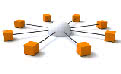
I’m in good company around here when I say that ERP is an extraordinary tool when managing a business. It’s comprehensive, intuitive, and relatively low-maintenance. Any company that is capable of utilizing software development to attain an ERP program absolutely should do so. However, EAI (Enterprise Application Integration) is getting better with time. Instead of overhauling a business’s software regimen, entrepreneurs are given the option of keeping their legacy processes and merely putting them all in one place.
-
View All Blog Posts
Top ERP Blog Posts
Top Trends in ERP for 2021
By
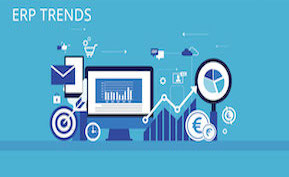
As technological innovations continue to advance, it’s important that IT departments embrace new trends and technologies. Inflexible and outdated ERP systems can determine whether or not a company succeeds. Below are the top ERP trends for 2021 to make sure your company keeps a competitive edge.

Hidden ERP Implementation Costs - Exposed
By
Many within the ERP industry tend to focus on the somewhat comical number of ERP project failures. From the perspective of sr. management, often the biggest unpleasant surprise is the actual ERP implementation costs.
Popular ERP Solutions

NetSuite ERP
NetSuite ERP integrates with existing web and CRM investments, providing a cloud financial management solution that’s woven into a company’s broader business systems. Additionally, users can easily scale into NetSuite’s other solutions by adding NetSuite CRM, Ecommerce, Professional Services Automation or global business management capabilities whenever businesses find the need for those solutions. NetSuite ERP delivers specific industry editions for wholesale distributors or manufacturers with multi-site production and inventory, software companies with complicated revenue recognition requirements, professional services organizations and more.

Epicor Kinetic
Epicor Enterprise Resource Planning (ERP) software is a flexible and scalable ERP solution that is made to help companies reduce costs, streamline processes and improve customer responsiveness across the company. Epicor ERP can help companies make sure that all strategic process are aligned to help the company grow profitably.

Sage 300 ERP
Traditional ERP solutions deliver an automation platform that connects business areas such as accounting, manufacturing, warehouse, and distribution. These days, ERP solutions have developed to include marketing, sales, business analytics and customer service, using real-time KPI dashboards and business intelligence. Sage 300 ERP (formerly Sage ERP Accpac) provides both types of platforms, allowing users to securely connect business processes from every functional area of the company in real-time.

Global Shop Solutions ERP Software
Global Shop Solutions ERP Software improves manufacturing processes throughout the enterprise with comprehensive functions that include job costing scheduling, inventory management, agile project management, quality management, customer relationship management and other shop control functionality. Business processes are integrated into a single, easy-to-use system, giving businesses complete control and visibility into their operations. Companies that have implemented Global Shop One-System ERP solutions have realized such benefits as improved quality and on-time delivery, increased sales and lowered costs.

IFS Applications
IFS Applications is an integrated ERP software solution that manages four core processes: project management, manufacturing, supply chain management and asset management. Combined with various solutions such as HR, financials, CRM and more, IFS Applications is a comprehensive ERP solution that can manage all of your business needs.

Infor CloudSuite Industrial (SyteLine)
Infor CloudSuite Industrial helps manufacturers and distributors of all types improve productivity and respond faster to change. From selling and sourcing to production and fulfillment, this robust enterprise resource planning (ERP) solution provides organization-wide visibility.